
computer, Windows

Installation failed. The installation will be rolled back in the background
This error generally indicates that something related to installation states in general is in flux. I'd suggest try running the Microsoft installation cleanup utility: http://support.microsoft.com/mats/program_install_and_uninstall/en and see if that helps. If not, you'll want to talk to your reseller about opening a support case.
computer, Windows
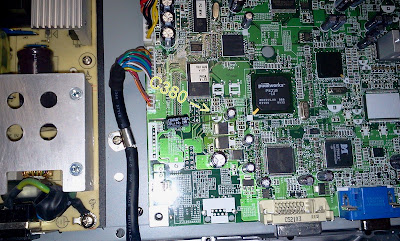
Last night I left my laptop on stand by and went to sleep… When I woke up in the morning, the laptop was turned on, but the screen was black! The fan was rotating with a high speed, the computer was on, but the screen was black… So, I turned off the computer by keeping pressed for some seconds the power button.
After it switched off, I tried to turn it on again, but nothing was working! I kept pressing some times, but it was like the computer was dead! I found a way on some youtube videos by pressing the power button for about 30 seconds, but that didn’t work! When I plug in, the battery gets charged, but the laptop won’t turn on. I have an Acer Aspire 7720G! I noticed that when I pressed the power button, like a type of little noise came out near the power button, like it blips for a bit of a second every single time I press the power button.
For anyone who comes to this question again
I solved this problem by myself, since even at a computer repair center, they told me I need to replace the motherboard!!!
Anyway, this is how I solved:
1. Removed battery
2. Reset the internal electricity (like ha14 said above)
3. Removed RAM sticks, removed Graphics Card, CPU, fan.
4. Replaced thermal paste, and did a total cleanup of dust or anything…
5. Put everything back, and also tried to fix the power button by pressing a lot of time at the button..
6. At this step my computer was back!!!
I’m still confused since I think the main problem was the power button, since even when I tried the other steps, my laptop wouldn’t work! After doing that trick with the button, now it works! If anyone has anything to say about this, please I would like to hear his/her opinion!
computer, Windows

Lua5.1.dll is a DLL file type associated with Farcry 3 developed by UBI Soft Entertainment for the Windows operating system. The last known version of Lua5.1.dll is 1.0.0.0, which is produced by Windows. The DLL file has a popularity rating of one star and a safety rating of "Unknown".
What DLL files?
DLL files ("dynamic link library") as lua5.1.dll are small programs like EXE files ("executable"), which allow multiple programs to share the same functionality (ie. Print).
For example, run Windows and edit a document in Microsoft Word at the same time. The DLL file that controls the printing does not need to load unless you do call it - eg. print a document. When you select "Print", Microsoft Word uses the printer DLL file to be loaded into memory (RAM) at that time. When you want to print a document through another program, such as Adobe Acrobat, the same DLL print file will also be used.
Why I DLL errors?
Because it is shared files, DLL files exist outside of the application itself. Although it offers many advantages for software developers, this separation also allows problems to occur.
Quite simply, if Windows can not load your lua5.1.dll file correctly, you will have an error message. For more information, please see below "lua5.1.dll the causes of errors".
When is the DLL errors occur?
DLL errors, such as those associated with lua5.1.dll, most often occur during startup of the computer, start a program or use a specific function in your program (eg. The 'printing).
To correct problem Lua5.1.dll advance you through the steps:
1 Register Lua5.1.dll manually using Microsoft Register Server
2-Fix invalid registry entries Lua5.1.dll
3-Lua5.1.dll Remove or restore the Windows Recycle Bin
4-Do a complete search of malicious programs on your computer
5-Update your computer's device drivers
6-Use the Windows System Restore to "Cancel" the latest changes to the system
7-Uninstall and reinstall the program associated with Farcry 3 Lua5.1.dll
8-Checker Run the Windows system files ("SFC / scannow")
9-install all available updates for Windows
10-Perform proper installation of Windows
computer

1- clean up your computer and switch the facility off. take away the facility cords from the rear of the tower and disconnect them from their power supply.
2-Place the tower on prime of associate degree anti-static mat that has been arranged on prime of a table. you will additionally wear associate degree associate degreetistatic wristband that's connected to an electrical ground, sort of a metal fixture. You’ll have to be compelled to use the antistatic devices as a result of static discharge from the ground or from your body may harm information keep on the pc.
3-Open the rear of the pc case consistent with the directions in your owner’s manual. Some CPU's would require screwdrivers for removal, whereas others can have buttons to depress before the rear comes off.
4-Position your will of compressed gas a minimum of 2 inches from the surface that you just ar improvement.
5-Clean the fan intakes and also the exhaust victimization short puffs of canned air. The intakes ar the grid-like structures that filter the air that comes into the fan.
6-Spray short puffs of canned air over the fan blades. To loosen clumps of dirt, hold your canned air at multiple angles instead of victimization long bursts of air. make certain that you just don't bit something within the mainframe tower.
7-Set the canned air aside and shut the rear of your mainframe.
8-Clean the outside of your mainframe with a humid artifact that has been unfit in cleanser, lukewarm water. Dry the surface with a soft towel.
9-Use a humid artifact to scrub your power cords whereas they're disconnected from an influence supply. Dry the facility cords with a soft towel.
Top 5 Popular of The Week
-
Error 1316 The specified account already exists: Installation failed. The installation will be rolled back in the background This e...
-
1-No SEO suggests that no guests from search engines. If you don’t get it on then search engines can’t reason and rank your website for...
-
Creating articles and posting them could be a vital a part of SEO, which is strictly what Magic Submitter is capable of providing. th...
-
1. Quickly Separate reality From Fiction - there's plenty of conflicting data and recommendation out there once it involves what extrem...
-
We're about to assist you create some cash and due to the net and your computer, all you wish could be a smart plan. If you do not even...


